

Here’s how to prepare for life’s surprises.


Life and health insurance you can trust
Help protect your family and handle the unexpected with confidence, at every stage of life.
Calculate your life insurance needs
Use our free calculator to find out how much life insurance coverage you might need to protect your loved ones.
Life insurance for seniors
As you grow older, you may find yourself wanting to protect your loved ones. Learn why you may want to consider life insurance as an older adult.

Investments to help grow your wealth
Whether you're saving for the near future, or investing for the long term, we've got solutions built around your goals.
Estimate your RRSP savings
Use our free RRSP calculator to estimate your retirement savings and plan for a secure future.
5 RRSP mistakes and how to avoid them
Ready for RRSP season? Here are some expert tips for managing your RRSP this year.

Health insurance
Challenging health events can happen at any time, to any of us. While some of your health-care needs may be covered by your provincial or territorial plan, it’s likely that many other health-care costs are not.
Critical illness insurance
Helps cover the costs of coping with and recovering from a covered critical illness.
Are you a Canadian Dental Care Plan (CDCP) member?
If you’re a CDCP member and are looking for oral health providers in your region, try CDCP Provider Search.
Market ups and downs and your money
Market volatility is a normal (and sometimes stressful) part of investing. Our tips and tools help you protect your savings, your investments, and your well-being.

Why choose Sun Life?
We've been trusted for generations
Sun Life's roots run deep in Canada. For over 160 years, we've been helping Canadians build financial security and live healthier lives.
We're committed to a brighter future
Recognized as one of the world's most sustainable companies for 15 years, we're building stronger communities across Canada and shaping a better tomorrow.
Here are 3 ways to get started with Sun Life
Apply online now
Quick, simple, on your schedule
Get a quote for certain life, critical illness, or personal health insurance policies in minutes. Many policies start immediately, no advisor required.
- Apply online in minutes
- Available 24/7
- No appointment needed
Get guidance today
Advice on demand, right when you need it
Talk to a licensed Prospr by Sun Life advisor who can help you find the right insurance coverage, explore investment options, or figure out where to start.
- Timely answers from a team of advisors
- Guidance to buy with confidence
- Support to help you understand your options
Partner with an advisor
Dedicated advice for the long run
Build a long-term connection with a Sun Life advisor who can help you protect what matters, grow your wealth, and adjust your approach as your life changes.
- Dedicated 1:1 advisor who knows you
- Personalized roadmap for your goals
- Support to navigate life changes
Need answers? Get help online, by chat, or phone
Chat with us
Mon to Fri, 9 a.m. - 5:30 p.m. ET
Get personalized support when you sign in.
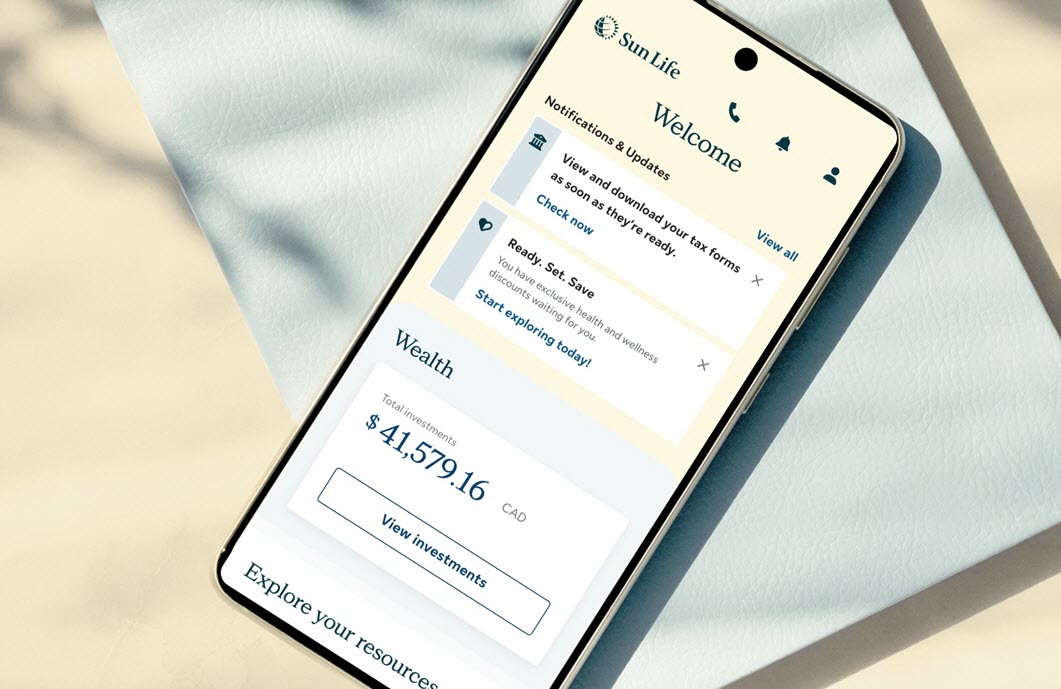
Everything you need, in one place
Access your benefits, savings and health resources - all in one easy-to-use app.


Mobile app access and features may vary by plan.
Take the next step with confidence
You’re already on your way. Explore articles that can guide you toward a better future.

10 tips for healthy eating on a budget
Here are some expert tips on how to eat healthy for less.

A healthier, wealthier future for women starts now
Women co-power Canada's economy. It's time to build a brighter future.